To move funds off Axal entirely, export your Privy smart wallet to a self‑custody wallet such as MetaMask (EVM) or Phantom (Solana):
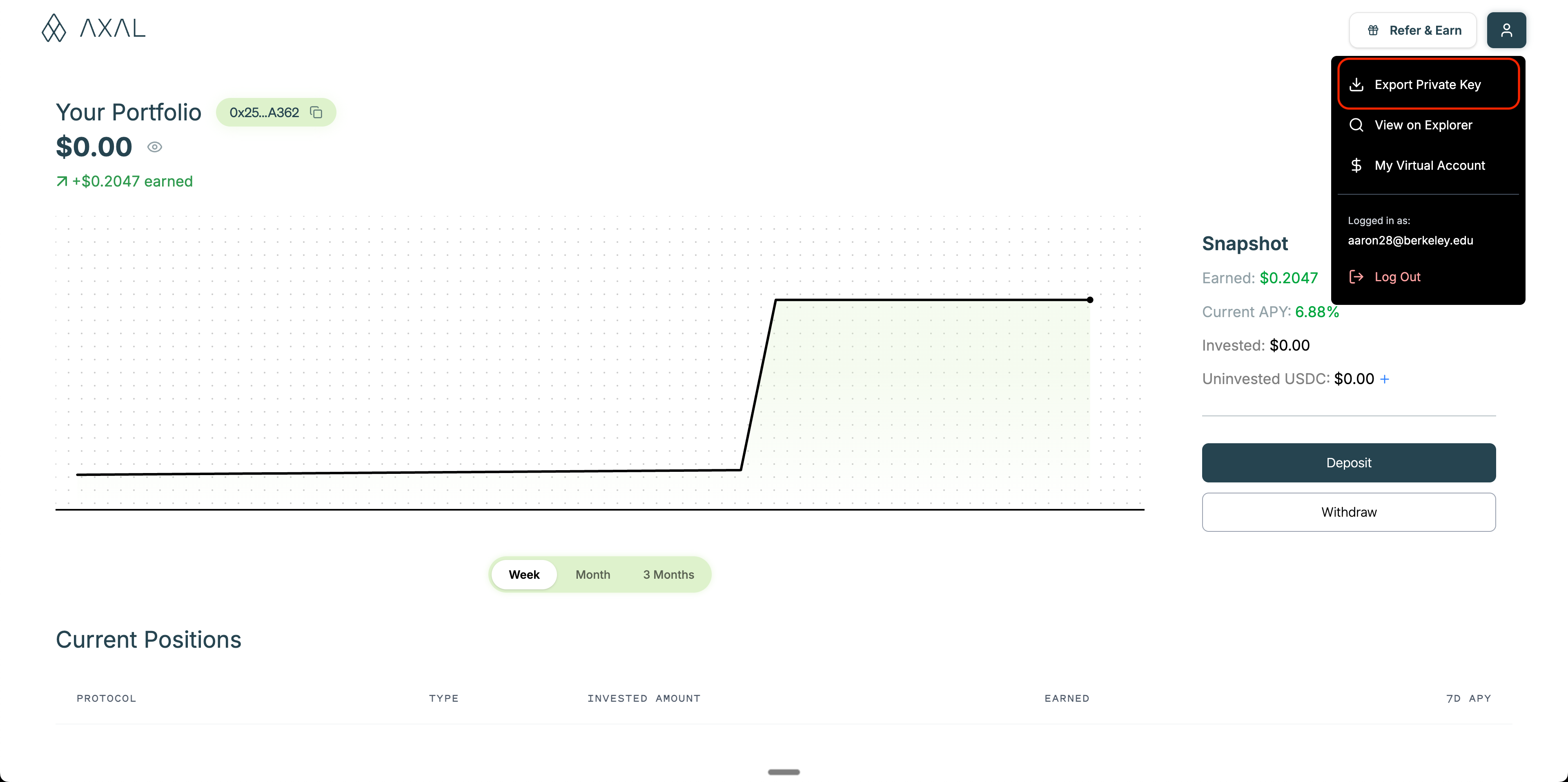
- Click the top right to export a private key.
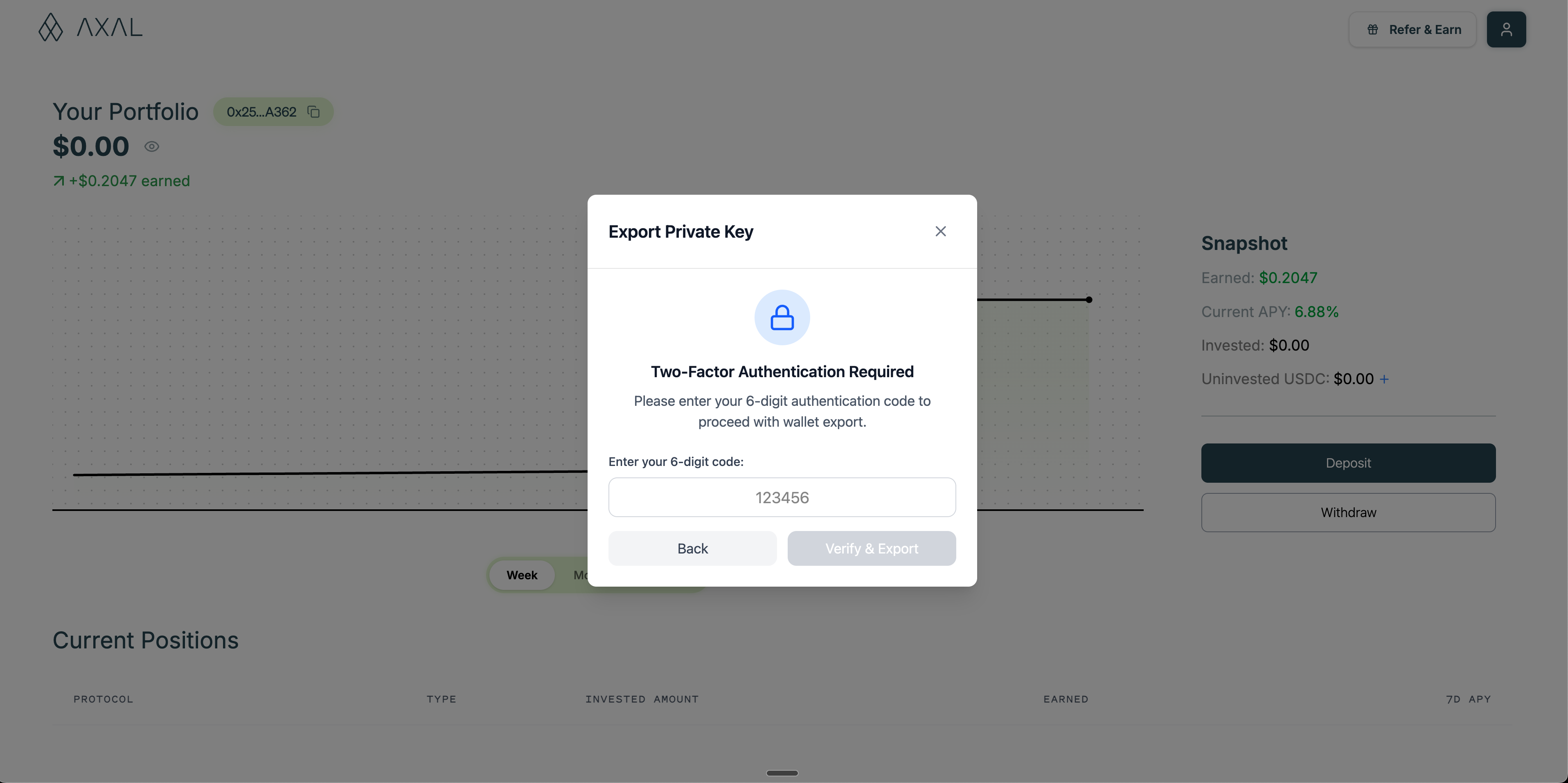
- Fill in your authentication code from your authenticator app.
- Follow the prompts to export your recovery phrase and import it in your wallet provider.
Secrets You'll Need
- Seed phrase (Secret Recovery Phrase) or Private key: Store securely and never share
- MFA code (if enabled): Axal will prompt for multi‑factor authentication during withdrawal
Transfer Out
After exporting your wallet, initiate the on‑chain transfer from your self‑custody wallet:
- Select the correct network (e.g., Base, Ethereum, Solana)
- Paste the destination address and confirm fees
- Submit the transaction and wait for confirmations
Notes & Best Practices
- Verify addresses and networks before sending
- Keep a small amount of native gas token for network fees
- Never share or store your seed phrase/private key in plaintext
- If MFA is enabled, keep your authenticator accessible during the process