Open Cash under Assets on the home screen to view your dollar balance and earnings. The Cash screen separates funds that are idle from funds that are earning yield.
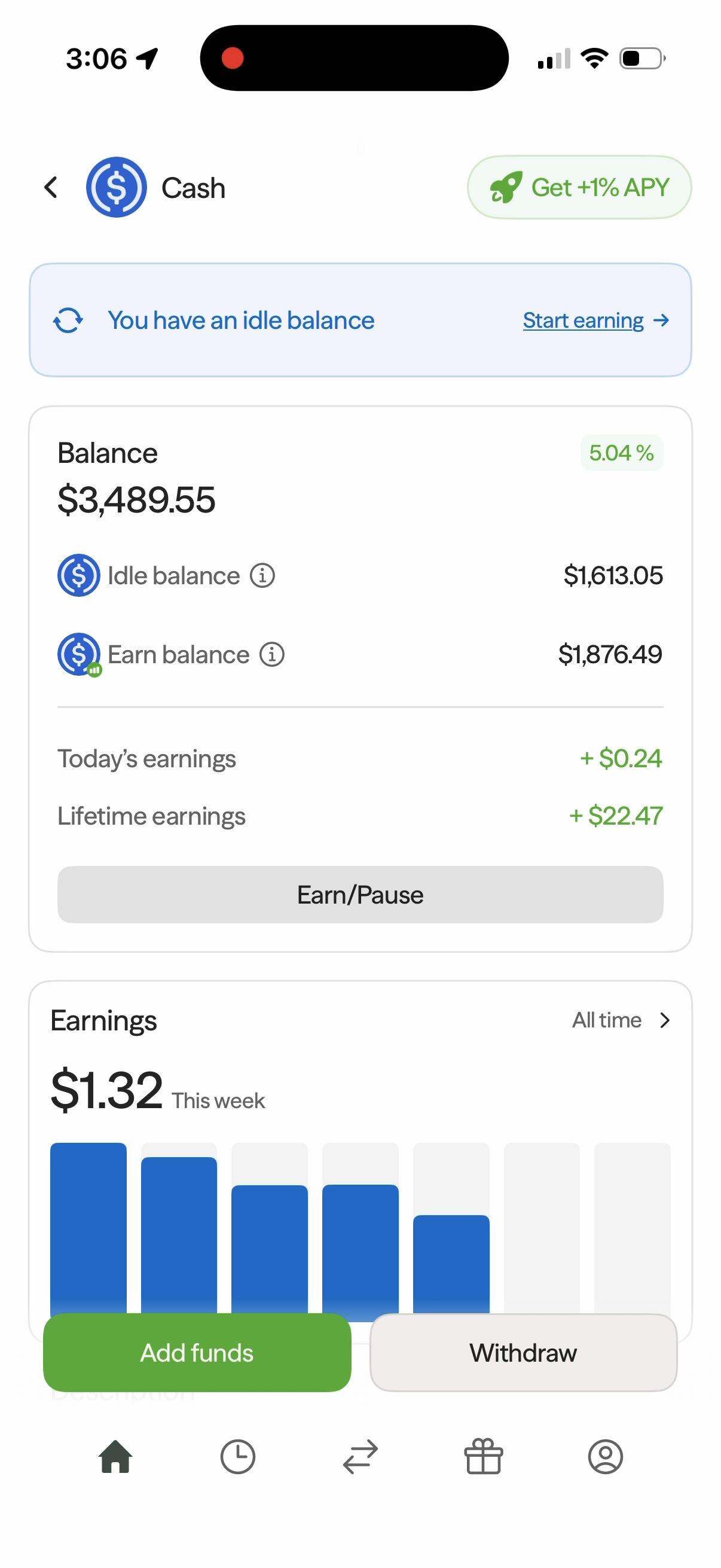
Your Cash Balance
- Balance — your total Cash balance.
- Idle balance — Cash that is not currently earning yield.
- Earn balance — Cash allocated to earning yield.
- Today's earnings — the amount earned today.
- Lifetime earnings — your total earnings to date.
The displayed APY is variable. Check the rate in the app when you start earning; the rate shown in the screenshot is an example.
Start Earning
- On the Cash screen, tap Start earning in the idle-balance banner, or tap Earn/Pause and select Earn.
- Enter the amount you want to move into your Earn balance. Tap Use maximum to use the available balance shown on the screen.
- Tap Continue.
- On Review transaction, check the amount moving from Idle Balance to Earn Balance, along with the APY, fees, and processing time.
- Swipe up to earn to confirm.
- When Earnings initiated! appears, tap anywhere to continue. The confirmation says your amount will start earning shortly.
Return to Cash to see your updated Idle balance and Earn balance. The Earn/Pause control also provides a Pause option.
Track Your Earnings
The Earnings card shows the amount earned This week and a daily bar chart. Tap All time to open the detailed Earnings screen.
Under Axal Prime, you can review:
- Lifetime earnings — your total earnings for the strategy.
- Earning rate — the current rate.
- Asset — USDC.
- Earnings balance — the balance allocated to earning.
- Projected earnings — the displayed yearly estimate, which can change with your balance and earning rate.
Scroll down to the Earnings list to see daily earnings by date. Earn and Pause controls are also available at the bottom of this screen.
View Your Investments
On the detailed Earnings screen, Investments shows where the strategy distributes your assets. The allocation bar and investment list show the underlying markets, their allocation percentages, and rates. Tap an investment to open its protocol page for more details.
Learn About Cash
Scroll down on the Cash screen to Description and tap Read more to expand it. Cash is held in USDC, and the app includes a Website link and answers to common questions:
- What is USDC and is it safe?
- Why is the rate higher than my bank?
- Can the rate change?
Use Add funds or Withdraw at the bottom of the Cash screen to access those flows.
The highest yield on your dollar
Savings accounts, money market funds, even other crypto apps leave significant yield on the table. Axal routes your funds across the best-performing DeFi lending protocols in real time, consistently outperforming traditional and crypto alternatives.
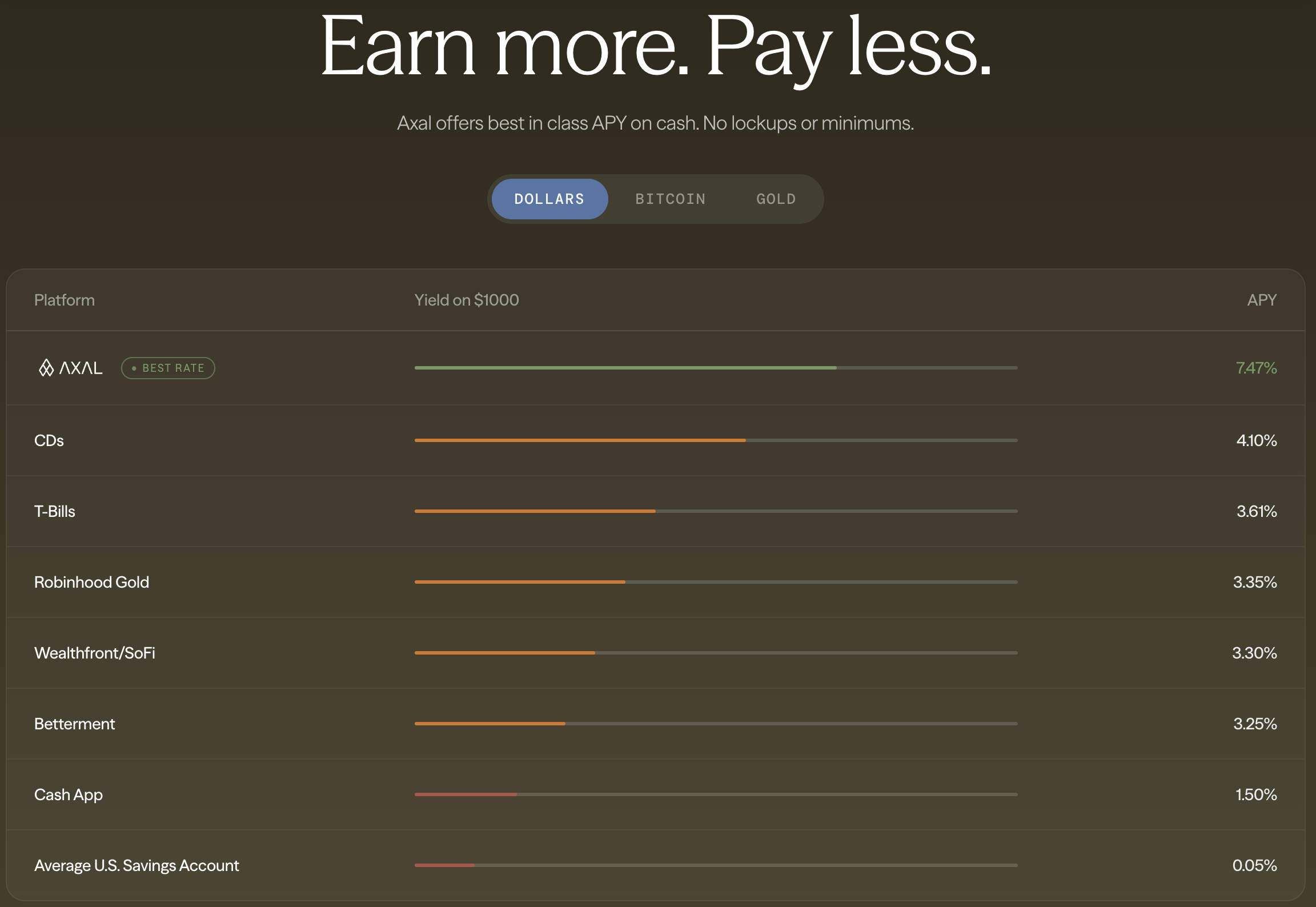
Traditional savings accounts currently offer 0.5–5% APY depending on the institution. Axal targets 6–10% APY by deploying across tier-1 DeFi protocols like Aave, Compound, and others — automatically moving your capital to wherever the yield is highest. You don't have to monitor rates, switch providers, or do anything at all. Axal handles it continuously, in the background.