

Depositing from App
Learn how to transfer funds from CashApp, Coinbase, or Robinhood into Axal
This section walks you through how to transfer existing cash or crypto from CashApp, Coinbase, or Robinhood accounts into Axal for the purposes of generating yield or self-custody.
Send Cash
Section titled “Send Cash”Use this flow if you want to transfer dollars directly from your CashApp, Coinbase, or Robinhood balance.
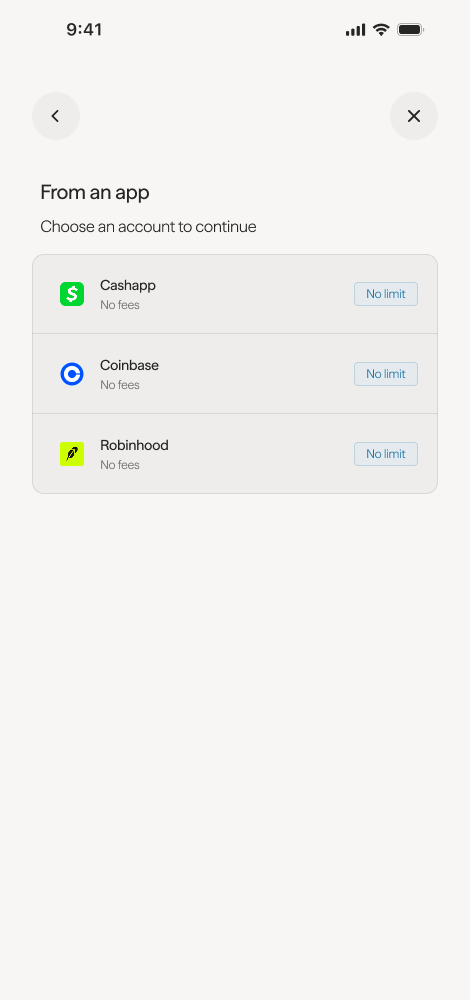
- Select your app — choose from CashApp, Coinbase, or Robinhood.
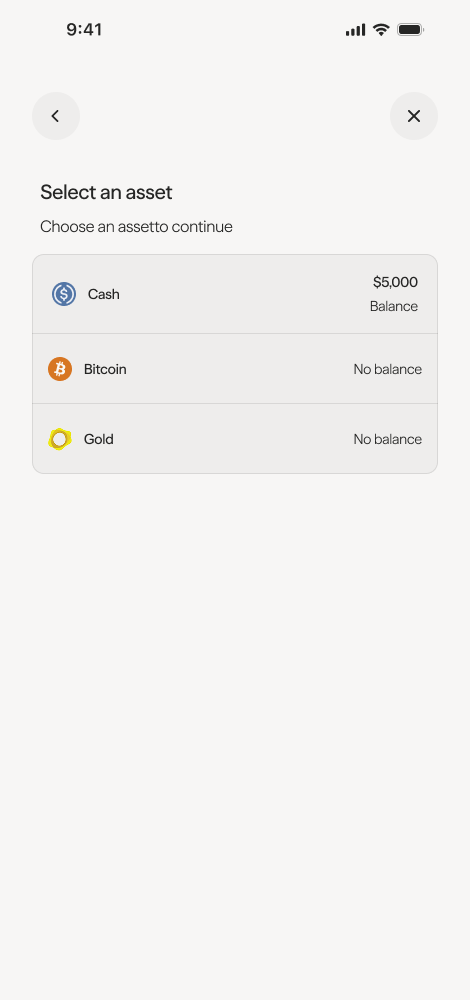
- Select your asset — choose Cash.
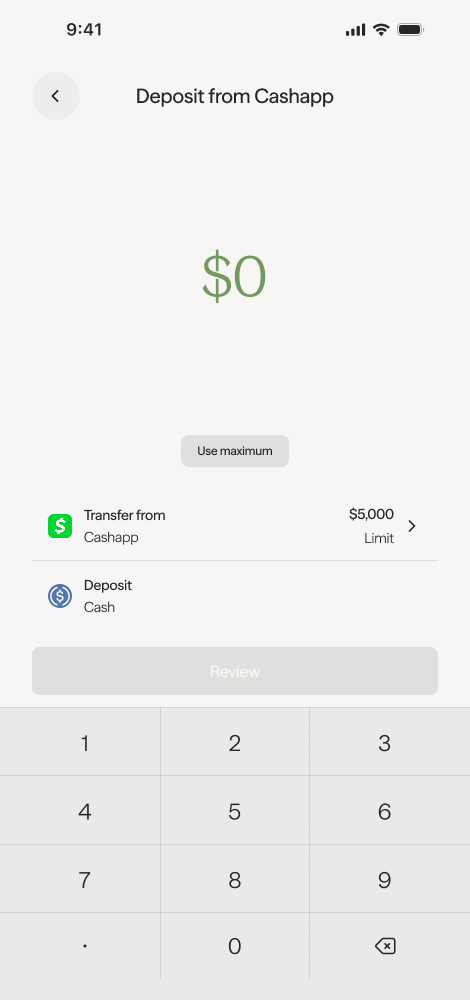
- Enter the amount you would like to transfer.
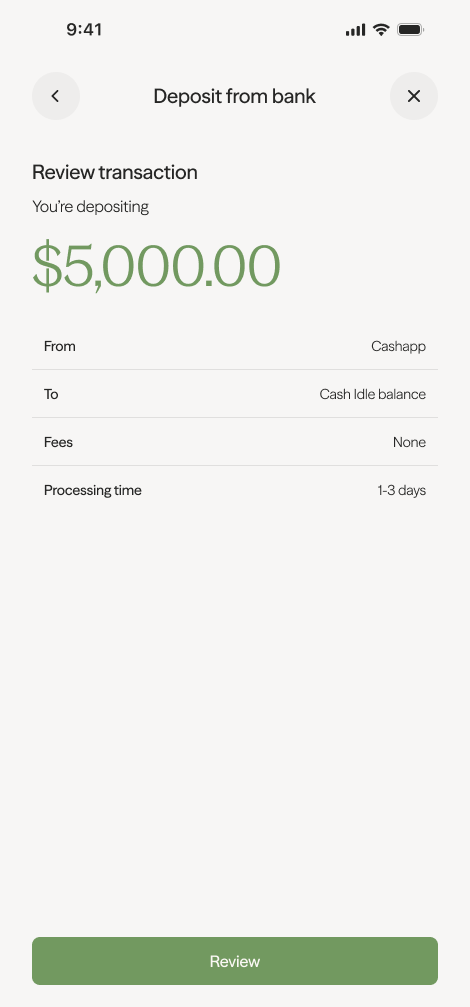
- Review and confirm the transfer amount.
Send Crypto
Section titled “Send Crypto”Use this flow if you want to transfer an existing crypto asset from CashApp, Coinbase, or Robinhood into Axal.
- Select your app — choose from CashApp, Coinbase, or Robinhood.
- Select your asset — choose any asset other than Cash.
- Select your preferred blockchain network.
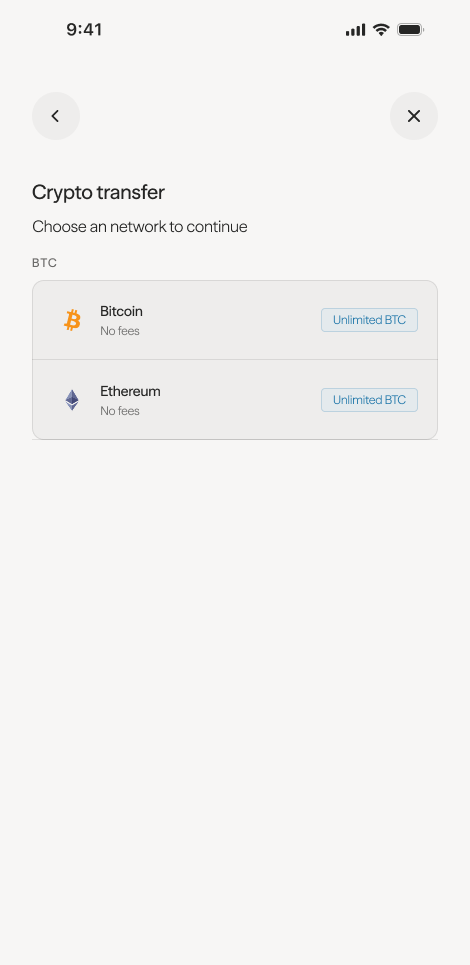
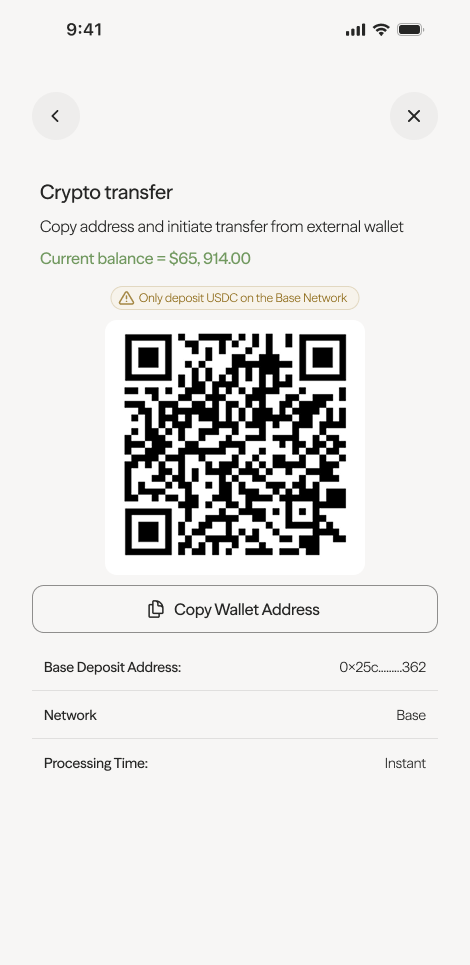
- Copy the wallet address or scan the QR code to initiate the transfer from your external app to Axal.
Troubleshooting
Section titled “Troubleshooting”- Transfer not showing? Verify the transaction hash by logging into the desktop/browser interface and clicking View on Explorer.
- Sent on the wrong network? Contact support at hello@getaxal.com with the transaction hash so the team can advise on recovery options.
- Note: Axal sponsors all gas costs for transactions within the Axal app, not external wallet transactions.